> ## Documentation Index
> Fetch the complete documentation index at: https://docs.autosana.ai/llms.txt
> Use this file to discover all available pages before exploring further.
# Linear Triage
> Automatically create triage issues in Linear when bugs are found
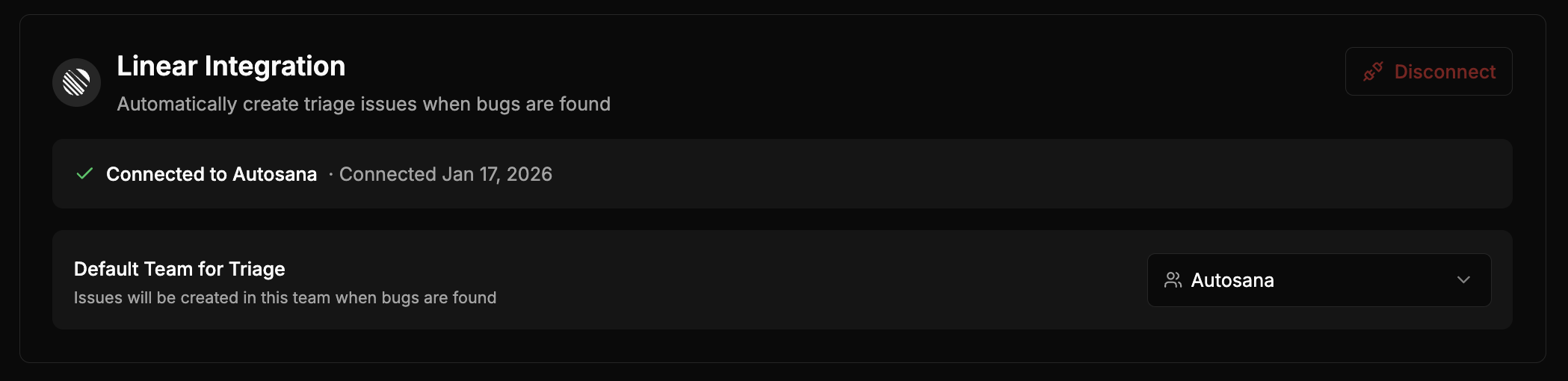 Connect Linear to automatically create issues when Autosana finds bugs. Issues include a failure summary and link to the failed run.
## Setup
1. Go to **[Settings > Integrations](https://autosana.ai/settings?tab=integrations)**
2. Click **Connect Linear**
3. Authorize Autosana to access your Linear workspace
4. Select the team where triage issues should be created
You must select a team after connecting. Issues won't be created until a team is configured.
## Example Issue
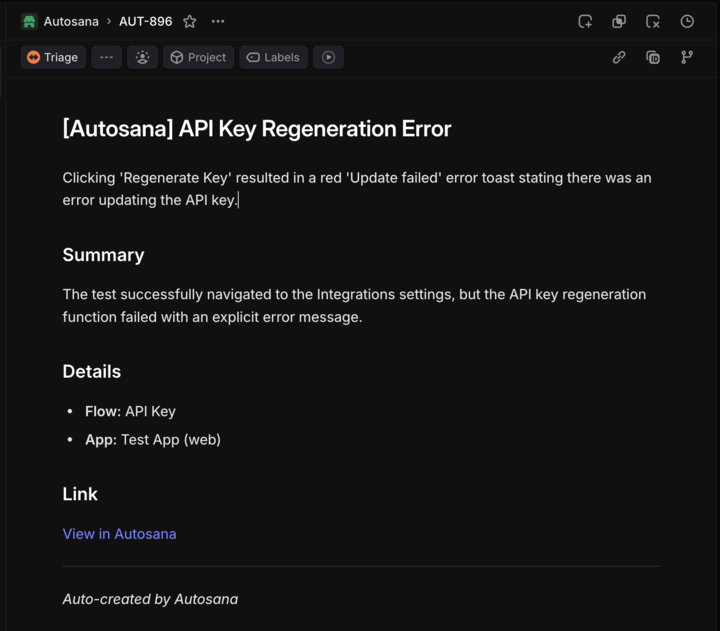
Connect Linear to automatically create issues when Autosana finds bugs. Issues include a failure summary and link to the failed run.
## Setup
1. Go to **[Settings > Integrations](https://autosana.ai/settings?tab=integrations)**
2. Click **Connect Linear**
3. Authorize Autosana to access your Linear workspace
4. Select the team where triage issues should be created
You must select a team after connecting. Issues won't be created until a team is configured.
## Example Issue