> ## Documentation Index
> Fetch the complete documentation index at: https://docs.autosana.ai/llms.txt
> Use this file to discover all available pages before exploring further.
# Slack Notifications
> Get notified in Slack when your flows complete
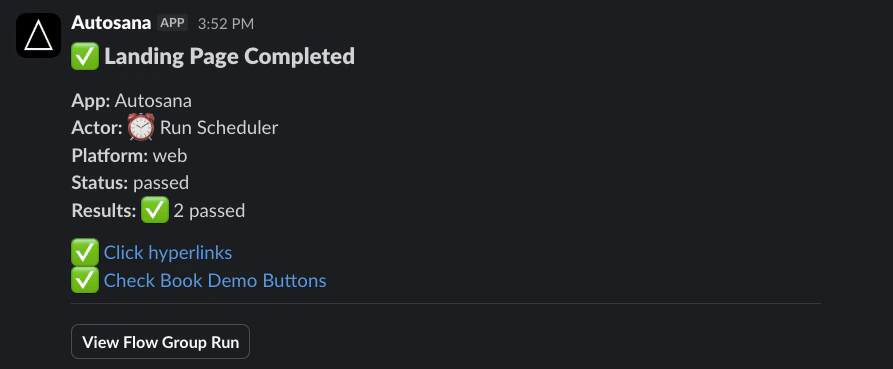
Connect Slack to receive notifications with pass/fail status, flow results, and links to view runs.
 ## Setup
1. Go to **[Settings > Integrations](https://autosana.ai/settings?tab=integrations)**
2. Click **Connect to Slack** and authorize Autosana
3. Select a notification channel from the dropdown
For private channels, invite the Autosana bot to the channel first so it appears in the dropdown.
## Setup
1. Go to **[Settings > Integrations](https://autosana.ai/settings?tab=integrations)**
2. Click **Connect to Slack** and authorize Autosana
3. Select a notification channel from the dropdown
For private channels, invite the Autosana bot to the channel first so it appears in the dropdown.