

Connect Slack
- Go to Settings > Integrations > Slack
- Click Connect to Slack and authorize Autosana
- Select the organization default notification channel
chat:write and chat:write.public to send and update
messages, plus channels:read and groups:read to list available notification
channels.
Route each app to its own channel
Apps use the organization default unless an organization owner or admin overrides them:- Go to Settings > Integrations > Slack
- Find App-specific routing in the Slack Notifications integration
- Click Add app route
- Choose the app and its dedicated Slack channel, then save
Issue notifications
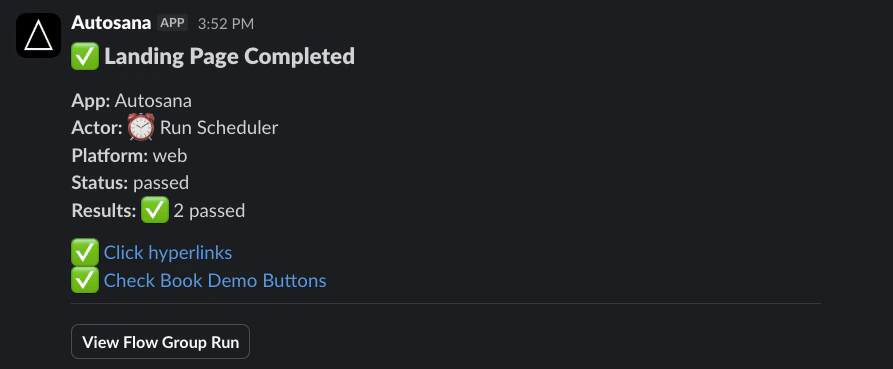
After an unsuccessful run, the Slack message first shows that issue analysis is in progress. Autosana updates the same message when grouping finishes, showing eligible issue groups in severity order. Messages omit dismissed groups and groups marked Don’t show again. If the message would exceed Slack’s block limit, use the included dashboard link to review the remaining issues in Autosana. An issue with a current Jira or Linear ticket shows its external key and link. An eligible issue without a current ticket shows Create ticket.Link your Autosana account
Slack must know which Autosana member is approving a ticket. The first time you select Create ticket, follow Link Autosana account, sign in to Autosana, and confirm the link. The link is single-use, expires after ten minutes, and only works for an active member of the same Autosana workspace as the Slack installation. If your Autosana membership is removed or Slack is reinstalled, link your account again.Review a ticket in Slack
For a linked member, Create ticket opens a Slack review modal with the same provider, destination, issue type, title, and description choices available in the Autosana dashboard. Submitting the modal acknowledges the request immediately and creates the ticket in the background. When creation succeeds, Autosana updates the original Slack notification with the Jira or Linear key and link. If provider options are not available quickly, the modal directs you to the dashboard rather than waiting. Recoverable failures preserve a dashboard retry path. If the provider result is unknown, check Jira or Linear before retrying so you do not create a duplicate.Ticket creation always requires a person to review and submit the Slack modal.
The workspace’s automatic-provider setting is a separate issue-group workflow.